

Estimated reading time: 8 minutes
Are you an aspiring music producer looking to take your skills to the next level? Whether you’re just starting out or have been dabbling in music production for a while, there’s always room for growth and improvement. In this comprehensive guide, we’ll explore a wide range of music production tips that will help you enhance your craft, from setting up your home studio to mastering the art of mixing and mastering. So, let’s dive in and discover how you can unlock your musical potential!
Table of contents
- Creating Your Perfect Home Studio Setup
- Mastering Your Digital Audio Workstation (DAW)
- Sound Design Techniques for Unique Productions
- Composition Strategies for Compelling Music
- Mixing and Mastering Basics
- Developing a Producer Mindset
- Organizing Your Music Projects
- Achieving a Professional Sound
- Video: 5 Music Production Tips I STOLE From World-Class Producers
- Conclusion
- FAQs
Creating Your Perfect Home Studio Setup
Choosing the Right Space
The first step in your music production journey is setting up a space where you can work comfortably and effectively. Here are some tips to consider:
- Find a quiet room with minimal outside noise
- Consider the room’s acoustics and potential for sound treatment
- Ensure you have enough space for your equipment and movement
Essential Equipment for Your Home Studio
While you don’t need to break the bank, having the right tools can make a significant difference in your music production process. Here’s a list of essential equipment to consider:
- Computer: The heart of your digital audio workstation (DAW)
- Audio interface: For connecting your instruments and microphones to your computer
- Studio monitors: For accurate sound reproduction
- Headphones: For detailed listening and recording
- MIDI keyboard: For playing and recording virtual instruments
- Microphone: For recording vocals and acoustic instruments
Optimizing Your Workspace
Once you have your equipment, it’s crucial to set up your workspace ergonomically:
- Position your monitors at ear level, forming an equilateral triangle with your listening position
- Ensure your computer screen is at eye level to avoid neck strain
- Invest in a comfortable chair that supports good posture
- Organize your cables neatly to avoid clutter and potential tripping hazards
Mastering Your Digital Audio Workstation (DAW)
Choosing the Right DAW
There are many DAWs available, each with its strengths and weaknesses. Some popular options include:
- Ableton Live
- FL Studio
- Logic Pro X
- Pro Tools
- Cubase
Research and try out different DAWs to find the one that best suits your workflow and musical style.
DAW Workflow Optimization
Once you’ve chosen your DAW, here are some tips to optimize your workflow:
- Customize your workspace: Arrange your windows and tools for easy access
- Learn keyboard shortcuts: This can significantly speed up your workflow
- Create templates: Set up project templates with your commonly used tracks and plugins
- Use color coding: Assign colors to different track types for better organization

Exploring Your DAW’s Features
Modern DAWs come packed with features that can enhance your music production. Take the time to explore:
- Built-in virtual instruments and effects
- MIDI editing tools
- Automation capabilities
- Mixing and mastering tools
Sound Design Techniques for Unique Productions
Layering Sounds
One of the keys to creating rich, professional-sounding productions is mastering the art of layering. Here are some audio layering techniques to try:
- Combine different synth patches to create complex textures
- Layer drums to achieve fuller, more impactful beats
- Use subtle layers to add depth and dimension to your sounds

Experimenting with Effects
Effects can transform ordinary sounds into something extraordinary. Here are some effects to experiment with:
- Reverb: For adding space and depth
- Delay: For creating echoes and rhythmic interest
- Distortion: For adding grit and character
- Modulation effects: Such as chorus, flanger, and phaser for movement and texture
Creating Your Own Samples
Don’t limit yourself to pre-made samples. Creating your own can lead to unique and personalized sounds:
- Record everyday objects and manipulate them in your DAW
- Resample and process your own synth patches
- Create your own drum samples by layering and processing existing ones
Composition Strategies for Compelling Music
Understanding Music Theory
While not strictly necessary, a basic understanding of music theory can greatly enhance your composition skills:
- Learn about scales and chord progressions
- Understand rhythm and time signatures
- Explore song structures and arrangement techniques
Finding Inspiration
Sometimes, the hardest part of music production is coming up with ideas. Here are some strategies to spark your creativity:
- Listen to a wide variety of music genres
- Collaborate with other musicians and producers
- Set limitations or challenges for yourself (e.g., use only three instruments)
- Draw inspiration from other art forms or nature
Developing Your Ideas
Once you have an initial idea, here’s how to develop it into a full track:
- Start with a basic loop and gradually add elements
- Experiment with different arrangements
- Use contrast between sections to maintain interest
- Don’t be afraid to remove elements – sometimes less is more
Mixing and Mastering Basics
Essential Mixing Techniques
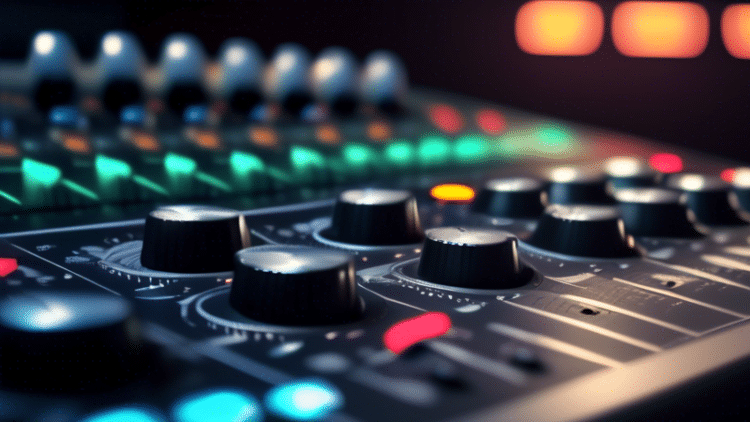
Mixing is where you balance and enhance the individual elements of your track. Here are some key mixing techniques:
- EQ: Cut conflicting frequencies and boost desirable ones
- Compression: Control dynamics and add punch to your sounds
- Panning: Create width in your mix by positioning sounds in the stereo field
- Volume balancing: Ensure each element sits well in the mix
Mastering Your Tracks
Mastering is the final step in the production process, where you prepare your track for distribution. While professional mastering is often recommended, here are some basics:
- Use a limiter to increase overall volume without clipping
- Apply subtle EQ to balance the frequency spectrum
- Use multiband compression to control specific frequency ranges
- Compare your track to reference tracks in your genre
Developing a Producer Mindset
Embracing Continuous Learning
The world of music production is constantly evolving. To stay ahead:
- Follow industry blogs and YouTube channels
- Attend workshops and seminars
- Join online communities and forums
- Experiment with new techniques and technologies
Cultivating Patience and Persistence
Remember that becoming a skilled music producer takes time:
- Set realistic goals for yourself
- Celebrate small victories along the way
- Don’t compare yourself to others – focus on your own progress
- Learn from your mistakes and keep pushing forward
Balancing Creativity and Technical Skills
A great producer needs both creative vision and technical know-how:
- Allow time for both creative experimentation and technical learning
- Don’t let technical limitations stifle your creativity
- Use technical skills to bring your creative ideas to life
Organizing Your Music Projects
File Management
Keeping your projects organized is crucial for efficient workflow:
- Use a consistent naming convention for your files and projects
- Create a folder structure that makes sense for your workflow
- Regularly backup your projects and samples
Version Control
As you work on your tracks, it’s important to keep track of different versions:
- Save new versions at key points in the production process
- Use descriptive names or notes to remember what changed in each version
- Consider using version control software for more complex projects
Collaboration Tools
If you’re working with other producers or musicians:
- Use cloud storage services for sharing files
- Explore online collaboration platforms designed for music production
- Establish clear communication channels and workflow processes
Achieving a Professional Sound
Attention to Detail
Professional-sounding tracks often come down to the small details:
- Listen critically to every element in your mix
- Use reference tracks to compare your production
- Take regular breaks to refresh your ears
Proper Gain Staging
Maintaining proper levels throughout your production chain is crucial:
- Set appropriate input levels when recording
- Avoid clipping at any stage of your production
- Use VU meters or similar tools to monitor levels
Creating Depth in Your Mix
A professional mix has a sense of depth and dimensionality:
- Use reverb and delay to create a sense of space
- Experiment with stereo widening techniques
- Balance elements between the foreground and background of your mix
Ready to level up your skills with structured lessons? Check out our Music Production Courses for in-depth video tutorials and hands-on training.
Video: 5 Music Production Tips I STOLE From World-Class Producers
Conclusion
Embarking on your journey as a music producer can be both exciting and challenging. By implementing these music production tips – from setting up your home studio to mastering the art of mixing and mastering – you’ll be well on your way to creating professional-sounding tracks. Remember, the key to success in music production is a combination of creativity, technical skill, and persistence. Keep experimenting, learning, and most importantly, enjoying the process of making music. With time and practice, you’ll develop your unique sound and style as a producer. So, what are you waiting for? It’s time to fire up your DAW and start creating!
Related Posts
- How to Get Into Music Production: Your Step-by-Step Guide to a Music Production Career
- How To Make Trap Music: Learn the Secrets Behind Hard-Hitting Trap Beats
- How to Make Music? Mastering the Art of Music Making
- How to Start Producing Music: Your Beginner’s Guide to Crafting Your First Track
- How To Make Drum And Bass
- What is Beat Matching & Why It’s Still the Most Crucial DJ Skill
FAQs
A computer, audio interface, studio monitors or headphones, MIDI keyboard, and a basic condenser microphone are the essential starting point.
Popular beginner-friendly DAWs include FL Studio, Ableton Live, and Logic Pro X—choose one whose workflow feels most intuitive to you.
Focus on gain staging, subtle EQ cuts, light compression, and panning. Use reference tracks and take breaks to protect your ears.
Custom samples give your music unique character—record found sounds, resample synth patches, and layer drums for originality.
Set clear session goals, use templates, take regular breaks, and organize files with consistent naming and version control.