
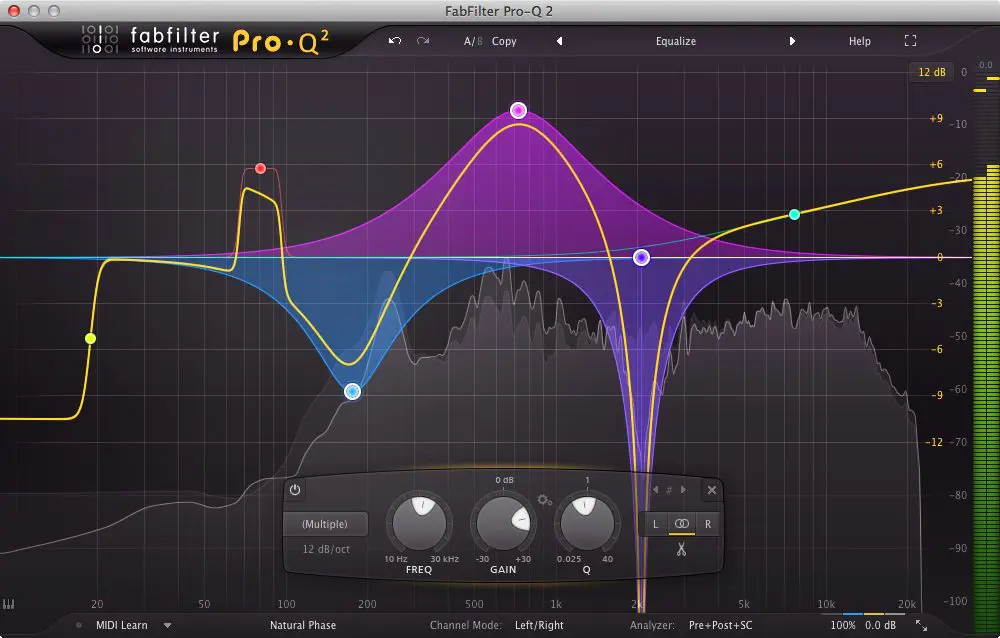
In this article I will review FabFilter’s highly anticipated Pro-Q 2 EQ’ing plug-in, the 2nd version of their critically acclaimed Pro-Q EQ plug-in, which has gained a lot of popularity in recent years.
If you prefer to watch the video rather than read the article, you can do so below.
The video is no longer viewable
At first glance, Pro-Q 2 looks very similar to its predecessor, but it is packed with new features that make it a highly unique competitor in the world of EQ plug-ins. Here are twelve reasons to fall in love with Pro-Q 2:
1. New Processing Engine
The first difference to point out is one that you will not see, as it is not a visual change: FabFilter has given Pro-Q 2 a new processing engine, providing musicians and audio engineers with higher quality sound while also making the plugin twice as CPU efficient as version 1, which is a big advantage if you tend to use a new instance of the plug-in on every track within your workstation.
2. Full Screen Mode
One feature that was not present in version 1 was the ability to view the interface in full screen mode. With many DAWs offering dual monitor capabilities these days, Pro-Q 2 becomes a very attractive option to see your audio’s frequencies at a glance on a dedicated screen of its own, or you can simply switch in and out of full screen mode whenever you need to.
The plug-in also offers the ability to switch between 4 window sizes to see more detail without going into full screen mode.
3. Spectrum Grab
This feature is very useful indeed. You can grab any obvious peak in the frequency spectrum analyzer, drag it down and adjust its gain, Q and so on. When Spectrum Grab is active, you simply hover your mouse cursor over the spectrum analyzer, and the frequencies become purple as they start to freeze, making it possible for you to then click on any peak that you think is protruding too far, and create a new bell to adjust the settings of. Pro-Q 2 allows you to have the Spectrum Grab feature activated or inactive in the analyzer settings box. You may want to turn it off if you find it distracting.
4. Filter Slopes Up To 96 dB / Octave
With Pro-Q 2, we are now able to choose a much wider range of filter slopes, including 6, 12, 18, 24, 30, 36, 48, 72 and 96 dB / octave. In addition to this new feature, we are able to apply these new filter slopes to any filter shape we choose, including notches, low / high cuts, bells, etc. When it comes to sound design, working with these wide range of filter slopes opens up a realm of new possibilities.
5. Two New Filter Shapes
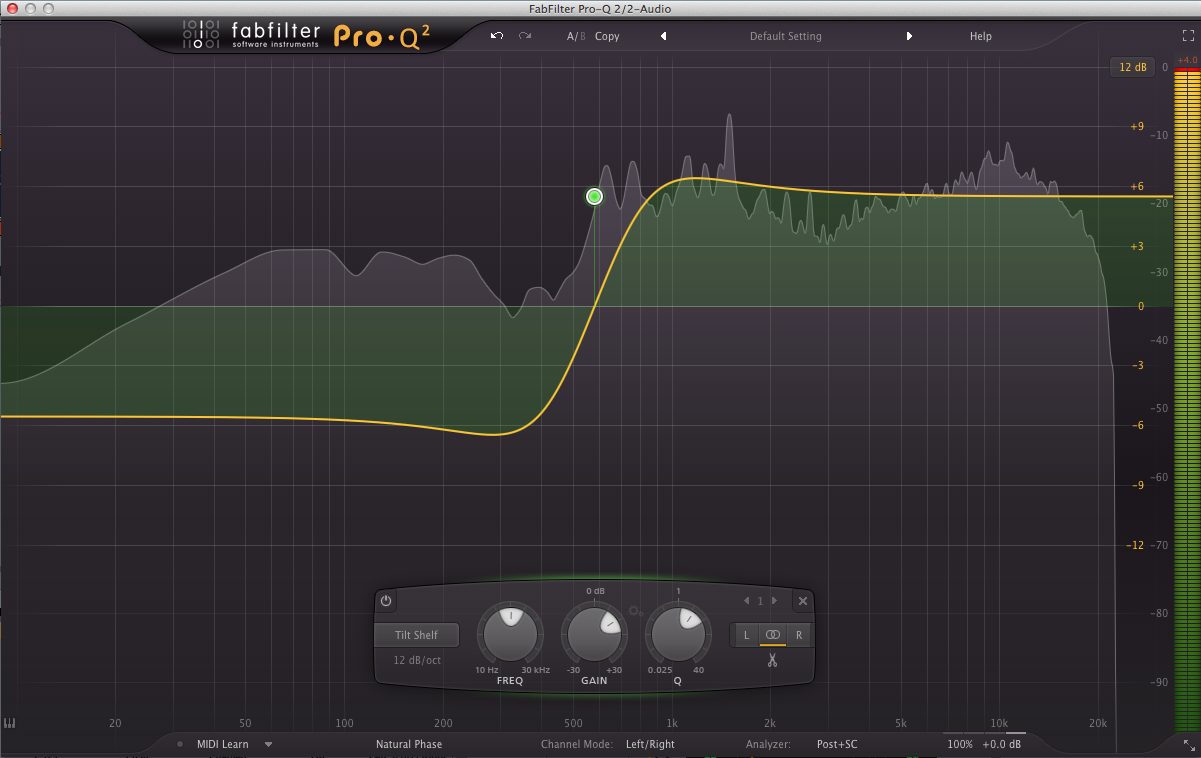
Pro-Q 2 comes with a ’tilt shelf’ filter shape and a band pass. The tilt shelf is a very nice addition, which can create some very interesting filter sweeps when automated, and is very useful for balancing the distribution of frequencies above and below a certain point in the spectrum.
Here is a picture of what the tilt shelf filter type looks like:
6. Gain-Q Interaction
If you look closely at the interface, you will see a small button with a cog icon between the gain knob and the Q knob of any bell frequency band you have created in Pro-Q 2. When you click this button to activate the Gain-Q interaction, you will notice that the gain slightly increase or decreases when you adjust the Q (bandwidth). This feature emulates analog EQ’ing. The movements are subtle, but make a difference when adjusting frequencies.
FabFilter Pro-Q 2 Review
7. Natural Phase Mode
In version 1 of Pro-Q, we had zero latency and linear phase modes for processing audio. Pro-Q 2 is equipped with a brand new processing mode called Natural Phase Mode. Natural Phase Mode matches analog phase response and analog magnitude response EQ’ing iwth great accuracy, while at the same time avoiding any pre-ring (present when using linear phase mode) and long latency issues.
8. EQ Match Mode
With EQ Match Mode, you are able to match the tonal characteristics of reference audio. It may be a reference track produced by someone else, or it may be a vocals recording that you took several weeks ago, that you are now trying to recreate in your new recording, for example. This mode allows you to compare the spectrum of a side chain input with the spectrum of the normal plug-in input, and Pro-Q 2 then creates new EQ bands to make your audio sound like the side chain signal.
To show this content you have to accept our cookies.
9. Side Chain Analyzer Settings
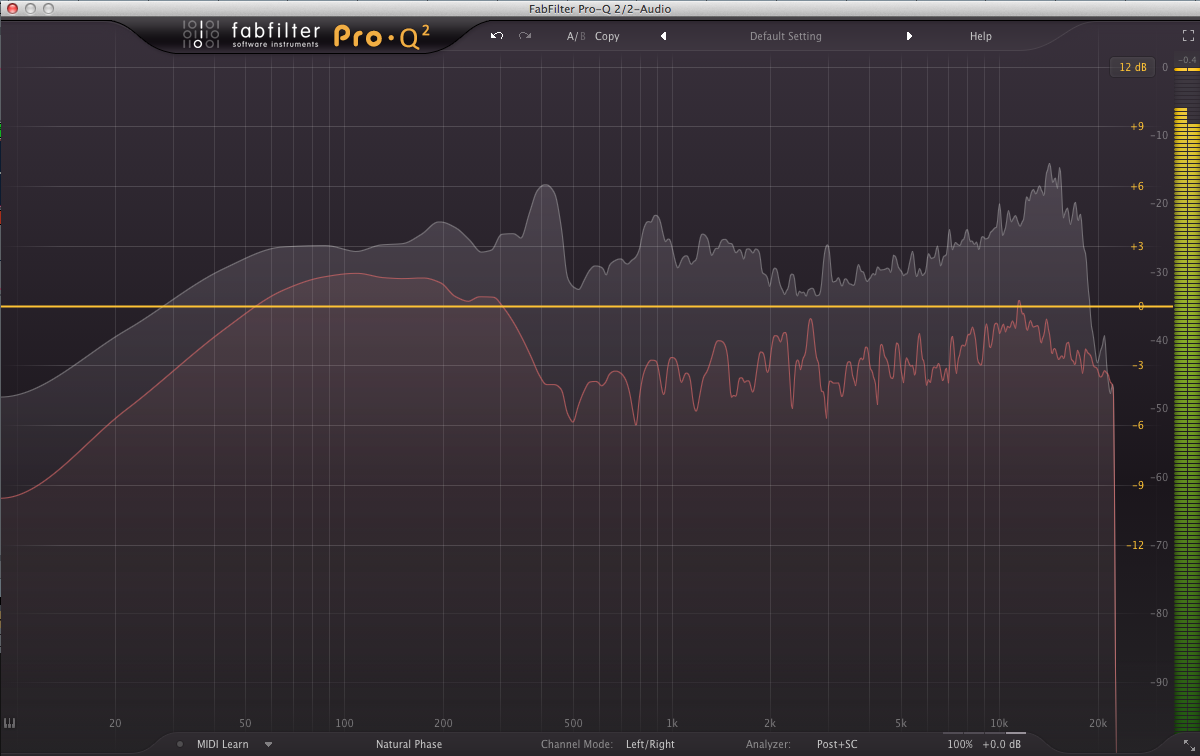
You know how you have to look at the EQ plug-in on your kick track (for example), then go back to your bass track and open up the EQ plugin on that track to see where the frequencies may be masking each other, it’s annoying isn’t it? Wouldn’t it be handy if you could see the frequencies of both of these separate tracks within the same EQ plugin? Well with Pro-Q 2, now you can!
All it takes is some simple routing in your DAW that takes two seconds, and you can see the frequencies of your kick drum (or any sound for that matter) in your bass track (or any track where you have an instance of Pro-Q 2 running). This is one of my favourite features in version 2.
10. Global Bypass
Within output options, we have the ability to bypass the entire plug-in, with the Global Bypass feature. Bypassing is applied softly, to avoid clicks and pops. This is very useful for A/Bing your EQ efforts with the un-EQ’ed sound.
11. Phase Invert
You can easily flip the phase of the output signal by clicking the Phase Invert button
12. Auto Gain
Auto Gain automatically compensates for an increase or decrease in gain after EQ’ing. If you are creating large boosts or wide notches in your audio, the overall output signal can be dramatically increased or decreased, so this is another very handy feature. In addition to this, we have the gain scale slider, which allows you to scale the effect of the gain settings of all of the curves.
For more information on this amazing plug-in, visit FabFilter’s website.
To show this content you have to accept our cookies.