

Estimated reading time: 9 minutes
As a music producer, your laptop is more than just a computer—it’s the heart of your digital studio. With the right MacBook, you can turn your creative ideas into polished tracks, whether you’re working from home, in a professional studio, or on the go. But with so many options available, how do you choose the best MacBook for music production?
In this guide, we’ll explore the world of MacBooks for audio editing and music creation. We’ll look at the latest models, compare their specs, and help you understand what features are most important for your music production needs. Whether you’re a beginner just starting out or a seasoned pro looking to upgrade your setup, this article will help you make an informed decision.
Table of contents
- Why Choose a MacBook for Music Production?
- Understanding Your Needs
- Key Specs to Consider
- Best MacBook Models for Music Production
- Desktop Macs for Musicians
- MacBook Pro vs iMac for Audio: Which to Choose?
- Windows Alternatives for Music Production
- Music Production Hardware Requirements
- Choosing a Laptop for Music: Beyond the Specs
- Specialized Macs for Audio Work
- Apple Silicon for Music Software: What You Need to Know
- Video: Choose THIS Macbook For Music Production In 2025
- Conclusion: Making Your Choice
- Related Posts
- FAQs
Why Choose a MacBook for Music Production?
Before we dive into specific models, let’s talk about why MacBooks are so popular among music producers:
- Stability: macOS is known for its stability, which is crucial when you’re working on complex audio projects.
- Low latency: Apple’s Core Audio drivers provide excellent low-latency performance.
- Software compatibility: Many popular music production software packages are optimized for Mac.
- Build quality: MacBooks are built to last, with robust construction and high-quality components.
- Portability: Most MacBook models are lightweight and easy to carry, perfect for producers on the move.
Understanding Your Needs
Before we get into specific MacBook models, it’s important to understand what you need from your music production laptop. Consider the following questions:
- What kind of music do you produce?
- How many tracks do you typically work with?
- Do you use a lot of virtual instruments and plugins?
- Do you need to record live instruments?
- Will you be doing any video editing alongside your music production?
Your answers to these questions will help guide your decision-making process.
New to production? Check out our hands-on Music Production Courses for step-by-step DAW training while you hunt for the perfect MacBook.
Key Specs to Consider
When choosing a MacBook for music production, pay attention to these key specifications:
Processor (CPU)
The CPU is the brain of your computer. For music production, you’ll want a processor that can handle multiple tasks simultaneously without breaking a sweat. Look for models with multi-core processors.
RAM
Random Access Memory (RAM) is crucial for running multiple plugins and virtual instruments smoothly. More RAM means you can work with larger projects without your computer slowing down.
Storage
Solid State Drives (SSDs) are preferred for their speed and reliability. Consider how much storage you need for your audio files, samples, and projects.
Ports
Check what ports are available. You’ll likely need USB ports for audio interfaces and MIDI controllers, and possibly Thunderbolt ports for high-speed data transfer.
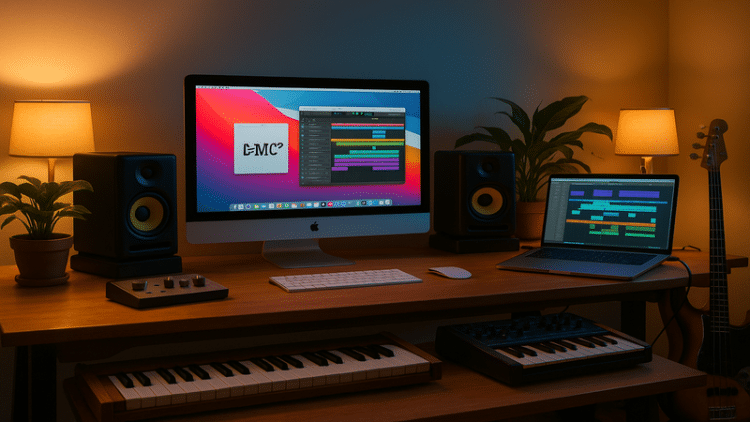
Best MacBook Models for Music Production
Now, let’s look at some specific MacBook models that are great for music production:
MacBook Pro 16-inch (M4 chip)
The latest 16-inch MacBook Pro with the M4 chip is a powerhouse for music production. Here’s why it’s a top choice:
- Powerful M4 chip with up to 24-core CPU
- Up to 128GB of unified memory
- Large 16-inch Liquid Retina XDR display
- Multiple Thunderbolt 4 ports
- Excellent battery life
This model is ideal for professional music producers who work with large, complex projects and need maximum power and screen real estate.
MacBook Pro 14-inch (M4 chip)
If you want power in a more portable package, the 14-inch MacBook Pro is an excellent choice:
- M4 chip with up to 24-core CPU
- Up to 128GB of unified memory
- 14-inch Liquid Retina XDR display
- Multiple Thunderbolt 4 ports
- Great balance of power and portability
This model is perfect for producers who need professional-level performance but also value portability.
MacBook Air (M3 chip)
For beginners or those on a budget, the MacBook Air with the M3 chip offers impressive performance:
- M3 chip with 8-core CPU
- Up to 24GB of unified memory
- 13.6-inch Liquid Retina display
- Lightweight and portable
- Excellent battery life
While not as powerful as the Pro models, the MacBook Air can handle most music production tasks with ease, especially for those just starting out.

Desktop Macs for Musicians
While MacBooks are great for portability, some musicians prefer the power and expandability of desktop Macs. Here are two options worth considering:
iMac (24-inch, M3 chip)
The iMac is an all-in-one solution that offers:
- M3 chip with up to 8-core CPU
- Up to 24GB of unified memory
- 24-inch 4.5K Retina display
- Multiple USB and Thunderbolt ports
- Built-in speakers and microphone
The iMac is a great choice if you have a dedicated workspace and don’t need portability.
Mac Studio
For those who need maximum power, the Mac Studio is hard to beat:
- M3 Max or M3 Ultra chip
- Up to 192GB of unified memory
- Multiple Thunderbolt 4 ports
- Compact design
- Exceptional performance for demanding audio tasks
The Mac Studio is ideal for professional studios or producers working on very complex projects.
MacBook Pro vs iMac for Audio: Which to Choose?
Deciding between a MacBook Pro and an iMac for audio work? Here are some factors to consider:
- Portability: If you need to work in different locations, a MacBook Pro is the clear choice.
- Screen size: The iMac offers a larger built-in display, which can be beneficial for complex DAW layouts.
- Expandability: The iMac and Mac Studio offer more options for external ports and upgrades.
- Performance: Both offer excellent performance, but the Mac Studio can provide more power for demanding tasks.
Windows Alternatives for Music Production
While Macs are popular for music production, there are certainly capable Windows alternatives. Some producers prefer Windows machines for:
- Cost: High-performance Windows laptops can be less expensive than equivalent MacBooks.
- Customization: Windows PCs often offer more options for upgrading components.
- Software compatibility: Some music software is Windows-only.
Popular Windows laptops for music production include models from Dell, HP, and Lenovo. However, be aware that you may need to do more tweaking to optimize a Windows system for audio work compared to a Mac.
Music Production Hardware Requirements
Regardless of whether you choose a Mac or a Windows machine, here are some general hardware requirements for music production:
- Processor: Quad-core or better
- RAM: 16GB minimum, 32GB or more recommended
- Storage: 512GB SSD minimum, 1TB or more recommended
- Display: 1080p resolution or higher
- Ports: Multiple USB ports, Thunderbolt/USB-C recommended
Remember, these are general guidelines. Your specific needs may vary depending on the complexity of your projects and the software you use.

Choosing a Laptop for Music: Beyond the Specs
While technical specifications are important, there are other factors to consider when choosing a laptop for music production:
- Keyboard feel: You’ll be spending a lot of time typing and navigating, so a comfortable keyboard is crucial.
- Display quality: A clear, color-accurate display can help reduce eye strain during long sessions.
- Build quality: Sturdy construction can protect your investment, especially if you’re frequently on the move.
- Cooling system: Look for laptops with efficient cooling to prevent performance throttling during intense work sessions.
- Battery life: If you plan to work away from power outlets, good battery life is essential.
Specialized Macs for Audio Work
While any of the MacBooks we’ve discussed can handle music production, some producers opt for specialized setups:
- Custom-built Mac Pro: For those who need maximum power and expandability.
- Refurbished older models: Some producers prefer older MacBook Pro models with more varied port options.
- Mac mini with external display: A compact, powerful option for those who don’t need portability.
Apple Silicon for Music Software: What You Need to Know
Apple’s transition to its own silicon (M-series chips) has implications for music producers:
- Performance: M-series chips offer excellent performance, especially in native apps.
- Compatibility: Most music software now runs natively on Apple silicon, but always check your specific tools.
- Power efficiency: M-series chips offer great performance with lower power consumption, leading to better battery life.
- Unified memory: The integrated memory architecture can lead to smoother performance in audio applications.
Video: Choose THIS Macbook For Music Production In 2025
Conclusion: Making Your Choice
Choosing the best MacBook for music production ultimately comes down to your specific needs, budget, and workflow. Here’s a quick summary to help you decide:
- For maximum power and screen real estate: 16-inch MacBook Pro with M4 chip
- For a balance of power and portability: 14-inch MacBook Pro with M4 chip
- For beginners or budget-conscious producers: MacBook Air with M3 chip
- For a desktop solution: iMac or Mac Studio
Remember, the best tool is the one that helps you create music most effectively. Consider renting or borrowing different models to test them with your workflow before making a final decision.
Whichever MacBook you choose, it’s an investment in your music production journey. With the right machine, you’ll have a reliable partner to help bring your musical ideas to life. Happy producing!
Related Posts
- Best Music Production Books: A Curated Reading List for Every Producer
- Best Plugins for Music Production: The Ultimate Guide for Synths, Mixing, and Mastering
- Best Music Production Software: Choosing Your Ideal Digital Audio Workstation
- How to Start Producing Music: Your Beginner’s Guide to Crafting Your First Track
- Best Laptop for Music Production: Laptops That Handle Massive DAW Sessions
- Best Computer for Music Production: Specs & Systems for Every Budget
- Best Free Music Making Software: Top DAWs & Tools at Zero Cost
FAQs
Apple’s M4 Max delivers the highest multi-core performance and lowest audio-latency in current MacBooks.
16 GB handles moderate sessions, but 32 GB+ is recommended for large projects with orchestral libraries.
Yes, it runs most modern plug-ins, though huge Kontakt libraries or 200-track mixes may stress its 8-core CPU.
Absolutely, Core Audio is great, but an interface improves A/D-D/A quality and offers pro I/O & MIDI.
Pick iMac for bigger built-in screen & ports; choose MacBook if you record, mix, or perform on the go.